
The Roman Empire
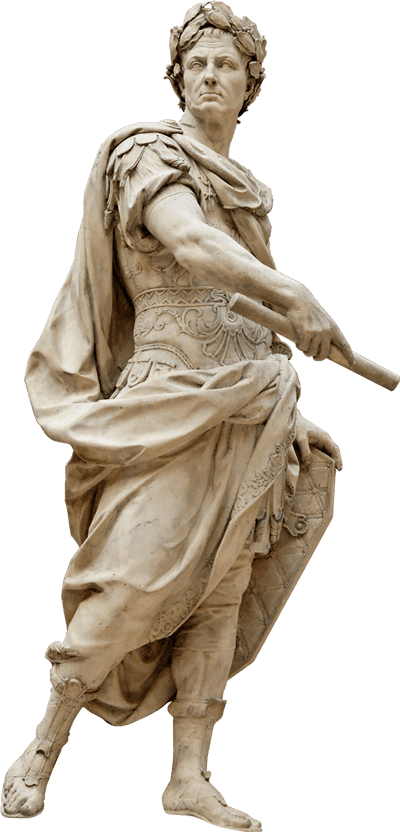
The story of the Roman Empire is one of culture & conquest whose legacy is still felt to this day.
Lasting many centuries and spanning over 1.7 million square miles, the Roman Empire was the predominant power in the ancient Western world. At times, the Roman Empire brought stability and prosperity to its subjects. But eventually, it fell into crisis and turmoil before its inevitable demise.
Join us on this journey as we explore this complex and fascinating time period of history. You may be surprised to find that the Roman Empire has had an impact on many facets of our modern life including politics, architecture, art, literature, language, and religion.
Periods of the Roman Empire
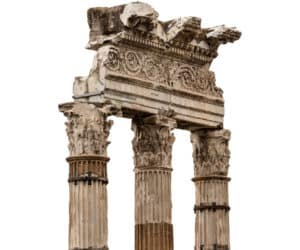
Timeline of the Roman Empire
1200 BC
The Prisci Latini colonists migrate to Italy from the Danube region.
April 21, 753 BC
Founding of Rome according to traditional story of Romulus and Remus.
753 – 716 BC
Reign of King Romulus
715 – 673 BC
Reign of King Numa Pompilius
673 – 642 BC
Reign of King Tullus Hostilius
642 – 616 BC
Reign of King Ancus Marcius
616 – 579 BC
Reign of King Lucius Tarquinius Priscus
579 – 534 BC
Reign of King Servius Tullius
534 – 504 BC
Reign of King Lucius Tarquinius Superbus
509 BC
Overthrow of the Roman monarchy
510 – 23 BC
Establishment of the Roman Republic
60 BC
Gaius Julius Caesar, Crassus and Pompey form the First Triumvirate
49 – 44 BC
Gaius Julius Caesar defies the Senate and appoints himself dictator for life. He reigns until he is assassinated on March 15, 44 BC
27 BC – AD 14
The senate grants Augustus the title of Caesar and he becomes the first Roman Emperor.
AD 14 – 37
Reign of Tiberius
AD 37 – 41
Reign of Caligula
AD 41 – 54
Reign of Claudius
AD 54 – 68
Reign of Nero
AD 68 – 69
Reign of Galba
AD 69
Reign of Otho
AD 69
Reign of Vitellius
AD 69 – 79
Reign of Vespasian
AD 79 – 31
Reign of Titus
AD 81 – 96
Reign of Domitian
AD 96 – 98
Reign of Nerva
AD 98 – 117
Reign of Trajan
AD 117 – 138
Reign of Hadrian
AD 138 – 161
Reign of Antoninus Pius
AD 161 – 180
Co Reign of Marcus Aurelius
AD 161 – 169
Co Reign of Lucius Verus
AD 180 – 192
Reign of Commodus
AD 193
Reign of Pertinax
AD 193
Reign of Didius Julianus
AD 193 – 211
Reign of Septimius Severus
AD 211
Co Reign of Geta
AD 211 – 217
Co Reign of Caracalla
AD 217 – 218
Reign of Macrinus
AD 218 – 222
Reign of Elagabalus
AD 222 – 235
Reign of Alexander Severus
AD 235 – 238
Reign of Maximus Thrax
AD 238
Reign of Gordian I & Gordian II
AD 238
Reign of Pupienus & Balbinus
AD 238 – 244
Reign of Gordian III
AD 244 – 249
Reign of Phillippus Arabs
AD 249 – 251
Reign of Decius
AD 251 – 253
Reign of Trebonianus Gallus
AD 253
Reign of Aemilius Aemilianus
AD 253 – 260
Reign of Valerian
Gallic Empire splits off after death of Valerian
Roman Empire
AD 253 – 268
Reign of Gallienus
AD 268 – 270
Reign of Claudius II
AD 270
Reign of Quintillus
AD 270 – 275
Reign of Aurelian
Gallic Empire
AD 260 – 269
Reign of Postumus
AD 269
Reign of Laelianus
AD 269
Reign of Marius
AD 269 – 271
Reign of Victorinus
AD 271
Reign of Domitianus
AD 271 – 274
Reign of Tetricus
AD 275 – 276
Empire is reunited
Reign of Tacitus
AD 276
Reign of Florianus
AD 276 – 282
Reign of Probus
AD 282 – 283
Reign of Carus
AD 283 – 284
Reign of Numerian
AD 283 – 285
Reign of Carinus
AD 284 – 286
Reign of Diocletian
Empire splits East & West
Eastern Empire
AD 286 – 305
Reign of Diocletian
AD 305 – 311
Reign of Galerius
AD 308 – 324
Reign of Licinius
AD 310 – 313
Reign of Maximinus Daia
Western Empire
AD 286 – 305
Reign of Maximian
AD 305 – 306
Reign of Constantius I
AD 306 – 307
Reign of Severus II
AD 306 – 312
Reign of Maxentius
AD 307 – 308
Reign of Maximian (returned)
AD 307 – 337
Reign of Constantine
AD 324
Empire is reunited after Constantine defeats Licinius.
Renames Byzantium “New Rome”
AD 330
Byzantium renamed to “Constantinople”
AD 337 – 340
Reign of Constantine II
AD 337 – 350
Reign of Constans
AD 337 – 361
Reign of Constantius II
AD 360 – 363
Reign of Julian
AD 363 – 364
Reign of Jovian
After Jovian’s death, the empire splits again
Eastern Empire
AD 364 – 378
Reign of Valens
AD 379 – 395
Reign of Theodosius
AD 395 – 408
Reign of Arcadius
AD 408 – 450
Reign of Theodosius II
AD 450 – 457
Reign of Marcian
AD 457 – 474
Reign of Leo
AD 474
Reign of Leo II
AD 474 – 475
Reign of Zeno
AD 475 – 476
Reign of Basiliscus
Western Empire
AD 364 – 375
Reign of Valentinian
AD 367 – 383
Reign of Gratian
AD 375 – 392
Reign of Valentinian II
AD 392 – 394
Reign of Eugenius
AD 395 – 423
Reign of Honorius
AD 423 – 425
Reign of John
AD 425 – 455
Reign of Valentinian III
AD 455
Reign of Petronius Maximus
AD 455 – 456
Reign of Avitus
AD 457 – 461
Reign of Majorian
AD 461 – 465
Reign of Severus III
AD 467 – 472
Reign of Anthemius
AD 472
Alybrius
AD 473 – 474
Reign of Glycerius
AD 474 – 475
Reign of Julius Nepos
AD 475 – 476
Reign of Romulus Augustus
AD 476
Germanic barbarian king Odoacer conquers Rome and deposes Romulus Augustus.
End of western empire.
Imperial insignia sent to the Eastern Roman Empire
AD 476 – 491
Reign of Zeno (in Eastern Byzantine Empire)
AD 1453
Fall of Constantinople to Mohammaed the Conqueror.
Death of Constantine XI.
End of the Eastern Roman Empire.